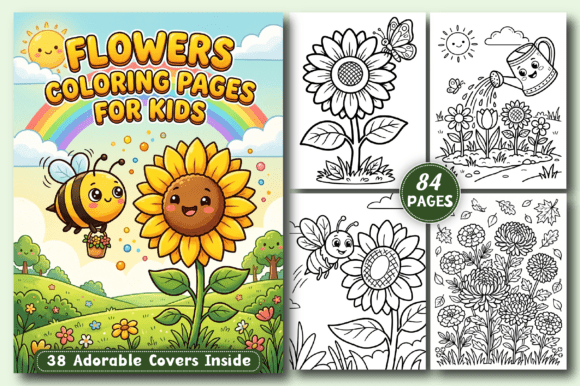
Cute Christmas Coloring Pages: A Practical Guide for Your KDP Interior
Creating a successful coloring book for Amazon Kindle Direct Publishing requires more than just cute artwork. Many creators jump into the market with enthusiasm, only to run into formatting issues, licensing confusion, or interior designs that simply don’t sell. Understanding how to use Cute Christmas Coloring Pages effectively can save you time, money, and frustration. This guide walks through common pitfalls and shows you how to build a high-quality product that appeals to both kids and adults.
Why Cute Christmas Coloring Pages Appeal to a Wide Audience
Cute Christmas designs occupy a sweet spot in the coloring book market. They attract children who enjoy playful, simple imagery, but they also draw adults looking for a relaxing, low-pressure creative outlet. The Cute Christmas Coloring Book For Kids and Adults category thrives because it balances festive charm with accessibility. When you include High-resolution Coloring Book page files in your interior, you give buyers confidence that their printed pages will look crisp and clean.
The interest in these books extends beyond casual buyers. Entrepreneurs, bloggers, and educators often purchase them for holiday activities, classroom resources, or content marketing giveaways. If you are preparing a KDP interior, you need to consider all these use cases when designing your pages.
1. Using Low-Resolution or Scaled-Down Images
One of the biggest oversights creators make is using images that are not truly high-resolution. Even if a file is labeled as “300 DPI,” the actual pixel dimensions may be too small for an 8.5” x 8.5” page. When printed, these images appear blurry or pixelated. This destroys the professional look of your Cute Christmas Coloring Pages and leads to negative reviews on Amazon.
Better approach: Always verify the pixel dimensions of each image. For a 8.5” x 8.5” book with bleed, your images should be at least 2550 x 2550 pixels at 300 DPI. The interior download details you received likely include 50 JPG Images File and 50 PNG Images File—check that these are all full-size and not resized thumbnails. Open a few files in an image editor and confirm the dimensions before assembling your PDF.
2. Ignoring Bleed and Margin Requirements
Another frequent mistake is placing artwork too close to the edge of the page. KDP requires a minimum 0.125-inch bleed on all sides for books with color interiors, but even for black-and-white books, you need proper margins. If your cute Santa or reindeer illustrations extend into the trim area, parts of the design may be cut off during printing.
Practical advice: Use a template from KDP that matches your trim size. For an 8.5” x 8.5” book, set your document size to 8.75” x 8.75” (including bleed) and keep all important content at least 0.375 inches from the trim edge. The Black and White nature of these pages means you cannot rely on color to hide alignment issues—crisp line art demands precise placement.
3. Overlooking Licensing and Usage Rights
Many creators assume that once they purchase a set of graphics, they can use them commercially without restrictions. However, some clip art or design elements come with limitations, especially for print-on-demand products. Using protected characters or designs without a proper license can get your book blocked or your account suspended.
What to check: Review the terms for any EPS Files and SVG Files you incorporate. If you are using pre-made interiors or graphics from a third party, ensure they explicitly allow KDP publishing. The safest route is to use original designs or commercial-use packs that grant full print rights. The interior download you reference should include a license statement—read it carefully.
How These Mistakes Affect Your Results
Poor resolution, missing margins, and licensing issues do not just affect the quality of your book—they impact your sales, reviews, and long-term reputation on the platform. A book with fuzzy images gets returned or refunded more often. Customers who buy Cute Christmas Coloring Book For Kids and Adults expect clean, printable pages that look good on standard paper. If your interior fails that test, you will struggle to maintain a high rating.
Additionally, Amazon’s algorithms favor books with consistent quality and positive feedback. A poorly formatted interior reduces your chances of being recommended to shoppers. Worse, a licensing violation can lead to your book being removed entirely. The time you invest in checking these details upfront is far less than the time lost fixing a failed listing.
Start with a Solid File Structure
You have 01 PDF File Print ready plus separate image and vector files. Use the PDF as your master document, but keep the 50 PNG Images File and 50 JPG Images File as backups. If you ever need to edit a specific page, the PNG file preserves transparency and quality better than a flattened PDF.
For vector users, the 50 EPS Files and 50 SVG Files allow you to scale designs without losing resolution. If you want to adjust line thickness or add small details, working from a vector file gives you flexibility. Just remember to convert back to a high-resolution raster format before finalizing your PDF for KDP.
Test Your Interior on the KDP Platform
Before hitting publish, use the Kindle Create tool or upload a draft to the KDP previewer. Look at how each page displays on a tablet, phone, and in the printed book preview. Even though your Cute Christmas Coloring Pages are Black and White, the preview can reveal whether line art is too thin, margins are off, or images are cut off.
Example: A common issue is that cute polar bear or gingerbread man designs look fine on your computer but appear too small or too large when previewed at actual print size. Adjust the artwork to fill the page appropriately, leaving enough white space for coloring without crowding the edges.
Consider Your Audience When Selecting Designs
Since your book targets both kids and adults, the complexity of the coloring pages matters. Simple, bold outlines work well for young children, while adults may prefer moderately detailed patterns like snowflakes or decorative Christmas trees. A mix of both keeps the book versatile. If all pages are overly simple, adults lose interest. If all pages are intricate, kids get frustrated.
Better selection strategy: Include at least 15 to 20 pages that are clearly beginner-friendly, with large open areas. The remaining pages can feature more detailed elements like fill patterns or small ornaments. Labeling the book as Cute Christmas Coloring Book For Kids and Adults sets the expectation for a range of difficulty, so deliver on that promise.
What to Look for Before Buying or Downloading an Interior Pack
If you are evaluating pre-made interiors or graphic sets, check the following before purchasing:
- File variety: Does the pack include the formats you need? You already have JPG, PNG, EPS, SVG, and a PDF. Ideally, any pack you buy offers at least a print-ready PDF and editable vector files.
- Resolution guarantees: Look for explicit statements about 300 DPI and correct dimensions for 8.5” x 8.5” trim size. Avoid packs that only provide low-resolution preview images.
- Sample page quality: Download a sample page if possible. Print it at home or view it at 100% zoom. Check that the lines are smooth and the style matches “cute” rather than overly complex or abstract.
- Commercial license: Confirm that the license explicitly covers Amazon KDP use. Some packs allow personal use only, while others permit commercial projects with attribution or without. Read the terms, not just the product description.
Adjusting Your Interior for Different Use Cases
Entrepreneurs and educators often repurpose coloring pages for digital giveaways or classroom handouts. If you plan to sell your book on KDP only, you are covered by the standard print-on-demand license. But if you also want to offer individual pages on your blog or site, you need separate rights. The interior details you have are perfect for your High content book business and fully tested in the Amazon Kindle Direct Publishing platform, which means they are optimized for that channel. Keep your usage within that scope to avoid issues.
For bloggers and marketers, the vector files (EPS and SVG) make it easy to resize pages for social media previews or email attachments without losing quality. Just remember that any digital distribution beyond the KDP book may require an extended license.
Avoiding Overcrowded or Repetitive Designs
A common complaint from coloring book buyers is that pages feel repetitive. Even with 50 JPG Images File or 50 PNG Images File, you should vary the subjects: Santa, reindeer, snowmen, stockings, presents, wreaths, and winter animals. If every page features a similar smiling snowman, customers may feel the book lacks value.
Simple fix: Before assembling your PDF, lay out all your images side by side. Identify any that are too similar and swap one for a different scene. A good rule of thumb is to include no more than three pages with the same main character in a similar pose.
Final Checks Before Publishing
Once your PDF is ready and you have reviewed each page, run the file through KDP’s interior checker. Look for:
- Consistent margins and bleeds
- Black-and-white artwork with no stray colored elements
- Line art that is dark enough to print clearly
- Page numbers or blank pages correctly placed if needed
If you are using the 01 PDF File Print ready from your download, test it by printing a few pages on your home printer. This gives you a real-world sense of how the line quality and density translate to paper. Adjust if the lines appear too thin for colored pencils or markers.
Also, read your book description carefully. Mentioning Cute Christmas Coloring Book For Kids and Adults in the title and description signals the right audience, but make sure your interior matches that promise. If your pages lean heavily toward adults only, update your description to avoid misleading buyers.
Building Long-Term Success with Quality Interiors
The coloring book market on KDP is competitive, but there is always room for well-made products. By focusing on high-resolution files, correct formatting, proper licensing, and a balanced design selection, you set your Cute Christmas Coloring Pages apart from rushed listings. Satisfied customers leave better reviews, which leads to more organic visibility. Over time, you can expand into other holiday or seasonal themes using the same quality standards.
Whether you are a first-time creator or an experienced publisher, treating each interior as a reflection of your brand helps you build trust with buyers. The details you have already—30 files each in JPG, PNG, EPS, and SVG, plus a print-ready PDF—give you a strong foundation. Use them carefully, and your Cute Christmas Coloring Pages can become a reliable part of your KDP catalog.